Creating an account with a Book Access Code (Teachers)
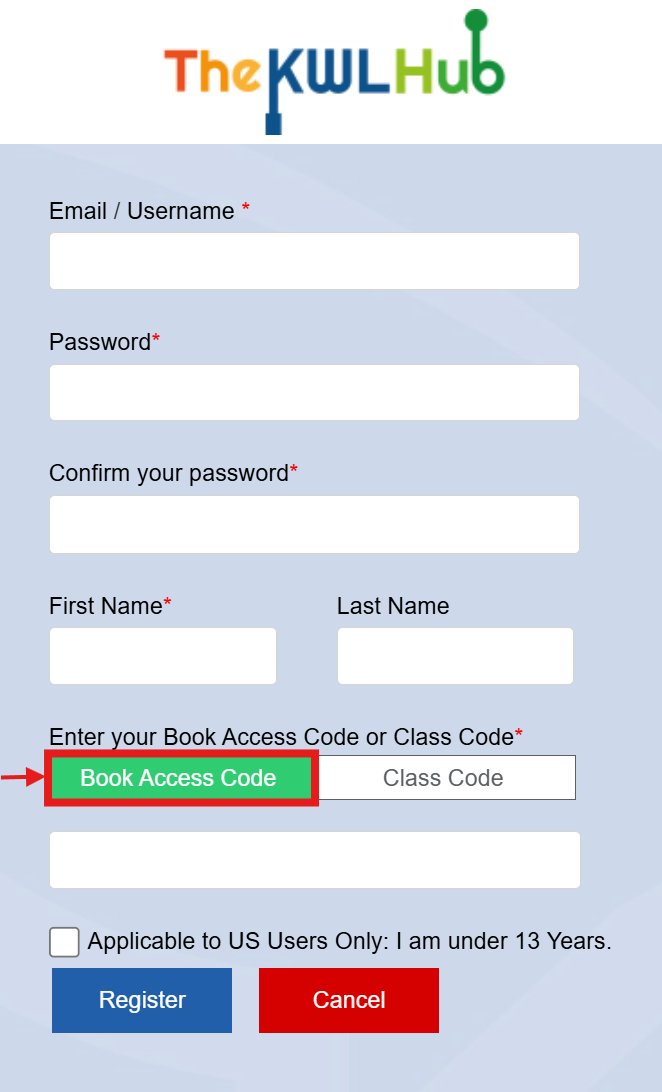
To create an account with a Book Access Code, visit https://klettlp.com/register.htm and complete the required fields:
- Email address
⚠️ Note: Double check your email address is correct before clicking on "Register."
- Password
- Confirm your password
- First Name
- Last Name
- Book Access Code
⚠️ Note: When you enter your Book Access Code, make sure that the "Book Access Code" field is selected in green.
ℹ️ Note: A book access code is a unique alphanumeric code consisting of 16 characters, including both letters and numbers, separated by hyphens (e.g., H82D-OSQ9-8TL4-M5UR).
📧 If you do not have a Book Access Code, please contact your sales representative or reach out here.
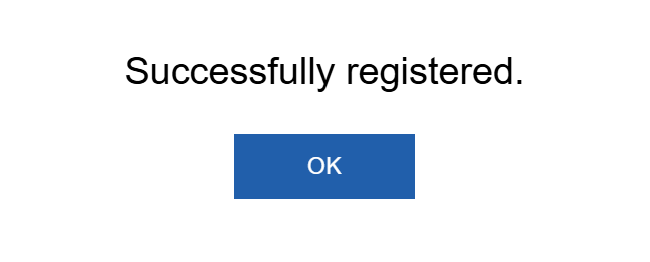
You will receive a confirmation message upon registration. Once you've completed all the required fields, click "Register" to create your account.
When you log in for the first time, you will be asked to accept the privacy policy. Click on "I Agree to Klett World Languages Privacy Policy" to proceed.
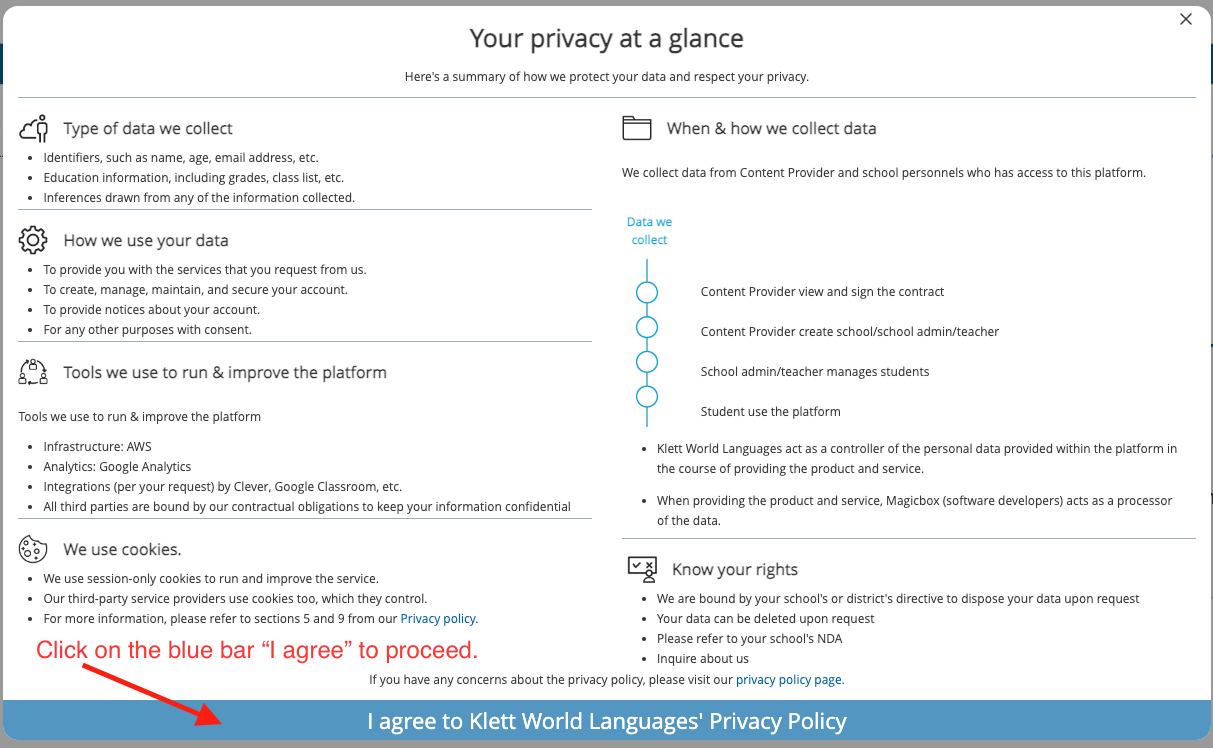
❗ Note: If you do not click on this blue bar, the system will log you out each time you try to log in.
🛡️ You can access our privacy policy at any time.
❗ Note: If you already have an account and you need to add a new book access code to your existing account.
Need help? 
Remember, you can contact us via this support form. We are here to help!
Related Articles
Creating a New Assignment in the KWL Hub
https://support.thekwlhub.com/en/articles/223-create-a-new-assignment There are two ways of creating assignments: from the "Assignments" section and from the Interactive Content: Creating Assignments from the "Assignments" Section Creating ...Assign/Unassign a Book to a Class
https://support.thekwlhub.com/en/articles/156-assign-unassign-a-book-to-a-class Assign a Book to a Class If your district/school is using an integration tool on the KWL Hub (such as Clever, ClassLink, Google Classroom, etc.), teachers can assign ...Teacher Guide: How to access The KWL Hub via Clever
https://support.thekwlhub.com/en/articles/29-how-to-access-the-kwl-hub-via-clever School/district users can log in with Clever SSO via their preferred entry point. This allows school users to easily log in to The KWL Hub platform without entering ...Assign/Unassign an Assignment - The KWL Hub
https://support.thekwlhub.com/en/articles/225-assign-unassign-an-assignment Assign an Assignment Once an assignment has been created, the teacher needs to assign it to their Class(es), Student(s), or Group(s). ❗ Note: If the assignments are not ...Assignment Settings
https://support.thekwlhub.com/en/articles/189-assignment-settings You can set the settings of an assignment when creating or editing an assignment by following the next steps. ❗Note: Once you save the settings for one assignment, the same settings ...